Get closer to the curves.
SVG describes contours as paths, ready for layouts, websites and further design work at different sizes.
Upload a logo or AI-generated illustration. Preview the vector free, zoom in to check every edge, then download a clean SVG.
PNG / JPG / WEBP Up to {maxSize} · {maxPixels} MP
Try a sample


Upload an image to inspect your conversion here.
Logos, illustrations and line art. Choose one and inspect the actual result.


From curves to color regions, inspect the actual result and decide if it fits your work.
SVG describes contours as paths, ready for layouts, websites and further design work at different sizes.

Adjust the palette limit and detail level to suit your flat-color logo, icon or illustration.
SVGDownload the SVG, then select and edit paths in compatible design software. Lettering becomes outlines.
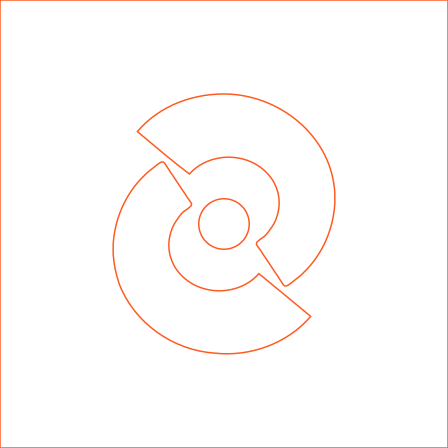
Actual TraceSmith output, unedited · zoomed 4×
Brand marks, website icons, flat illustrations or line drawings. Start with the kind of artwork you use.
Convert an existing PNG or JPG logo into SVG for websites, presentations and further design work. Inspect holes, corners and small lettering.
Turn flat icons into vector paths for interfaces at different sizes. Compare curves, gaps and fine details against the original.

Choose the illustration preset and adjust colors and detail for your use. After exporting, keep editing paths and colors in SVG-compatible design software.
Start with clearly defined monochrome artwork. Use line drawing mode to create SVG for scaling, layouts and further editing, then inspect fine lines in the preview.
From the first upload to the final SVG, clear controls at every step.
Upload or paste an image, choose the type and click Convert. Follow the processing status, or cancel and keep your image.
Start with logo / icon, illustration, line drawing, or photo / portrait mode. Each has its own initial detail and color settings.
Adjust detail from 1 to 5. Apply your settings or reset them, then compare with the previous result.
Set the palette limit from 2 to 64. In flat photo mode this limits base colors; gradient transitions can add colors.
Keep the original background, composite on white, or remove near-white areas connected to the edge. Inspect complex backgrounds and partial transparency.
Switch between original, comparison and SVG views. Drag the divider to check contours, colors, holes and small details.
Zoom in and drag to inspect a region. Fit returns to the whole image. You can also move the comparison divider with the keyboard.
The output contains vector paths you can edit in SVG-compatible software. Text in the image becomes outlines.
Upload up to 32 MiB and 12 million pixels. Conversion reduces the longest edge to at most 1600 px; inspect the output dimensions before exporting.
Cancel and keep the selected image. A failed refinement keeps your previous result. Pending settings are clearly marked and can be reset.
Images and results are kept for one hour by default and cleaned periodically while the service runs. Clear removes the current task.
Convert and preview for free. Zoom in, and download the SVG when you are happy. JPGs and other compressed images are cleaned up automatically before tracing.
PNG / JPG / WebP · Up to 32 MiB and 12 MP · Processing longest edge up to 1600 pxChoose PNG, JPG or WebP, then the image type.
Start conversion, then zoom in and compare.
Check the result and export a scalable SVG.
Yes. The output contains vector paths you can edit in SVG-compatible design software. Text becomes outlines and is no longer editable as type.
Start with clearly defined flat-color logos, icons and illustrations. Low-resolution images, small text, photographic gradients and partial transparency can lose detail. Inspect before downloading.
The local preview retains files for one hour by default. The background service cleans them periodically. Start over deletes the current task and its files.
Up to 32 MiB and 12 million pixels. Conversion reduces the longest edge to at most 1600 pixels. SVG paths can scale, but cannot recover detail missing from the source.
Preview first. Export when it works for you.